SALARY
ADVANCE
SALARY ADVANCE
PAYFIT
SALARY ADVANCE: EMPOWERING EMPLOYEES, SIMPLIFYING PAYROLL
User Research
User Experience Design
User Interface Design
Usability Testing
Design System Integration
Making financial flexibility feel simple and stigma-free.
I redesigned PayFit’s Salary Advance feature to empower employees to request help confidently while giving admins a frictionless way to review, validate, and manage approvals.
The result: a human-centered experience that saves time and supports employee’s wellbeing.
CHALLENGE TO IMPACT
Making Salary Advances simple, transparent, and stress-free for everyone.
CHALLENGE
The Salary Advance feature was underused and difficult to manage.
Admins struggled with manual validation, while employees hesitated to request advances.
Goal: increase adoption, simplify management, and support financial flexibility.
PROCESS
Led the UX/UI design of the Salary Advance module. Researched users and ran testing to refine key flows.
Created a streamlined interface for employers and a smooth request experience for employees.
Delivered hi-fi prototypes and collaborated with developers.
IMPACT
Adoption increased by 30%, with a 25% rise in active use.
Admins saved time through clearer, faster workflows.
Employees felt more supported, strengthening Payfit’s human and accessible brand image.
WORKFLOW IN ACTION → SIMPLIFYING SALARY ADVANCES
Illustrating how employees request a salary advance and how admins review, approve, or reject it seamlessly within Payfit.
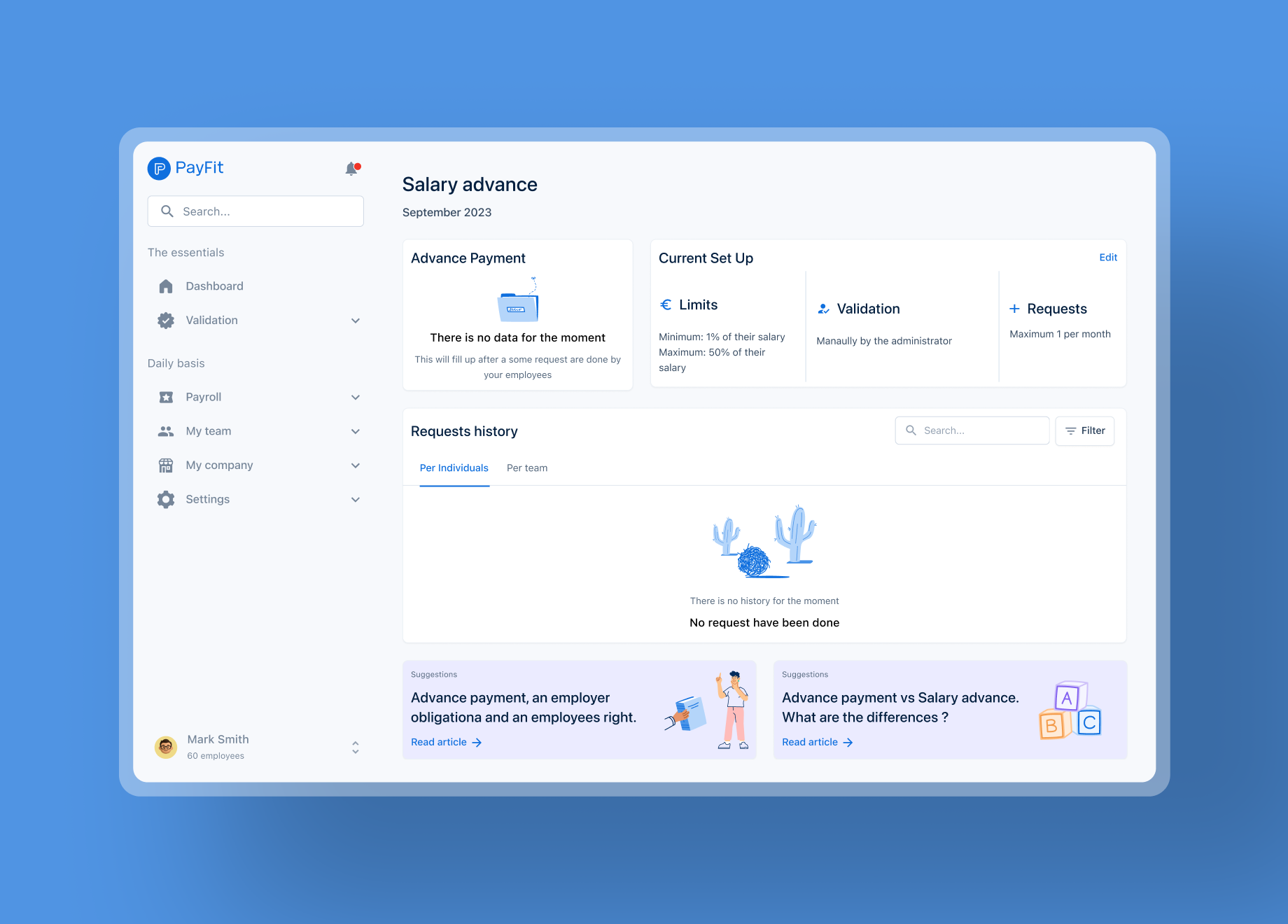
1. ACTIVATE THE FEAUTURE

Admin Persona
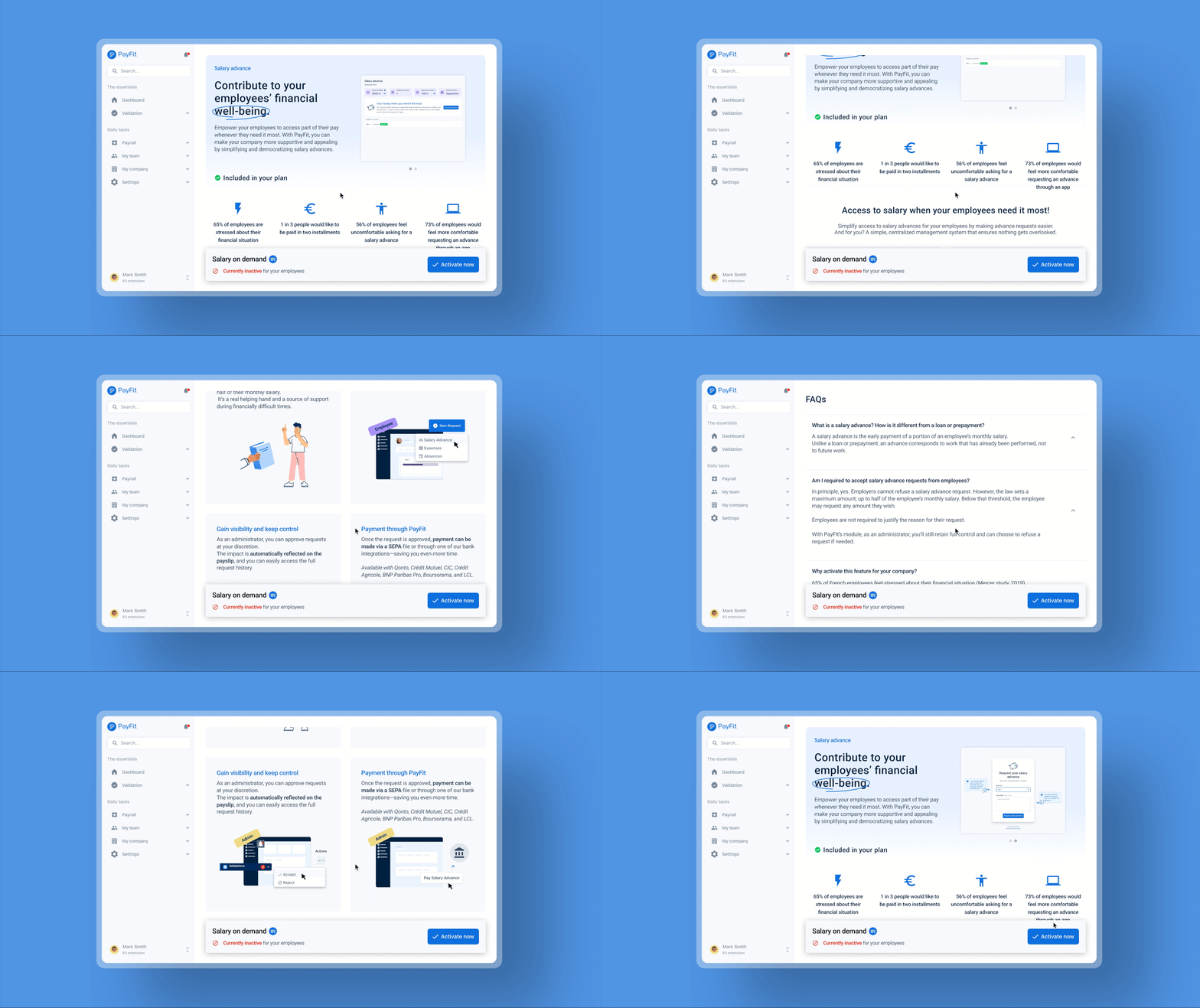
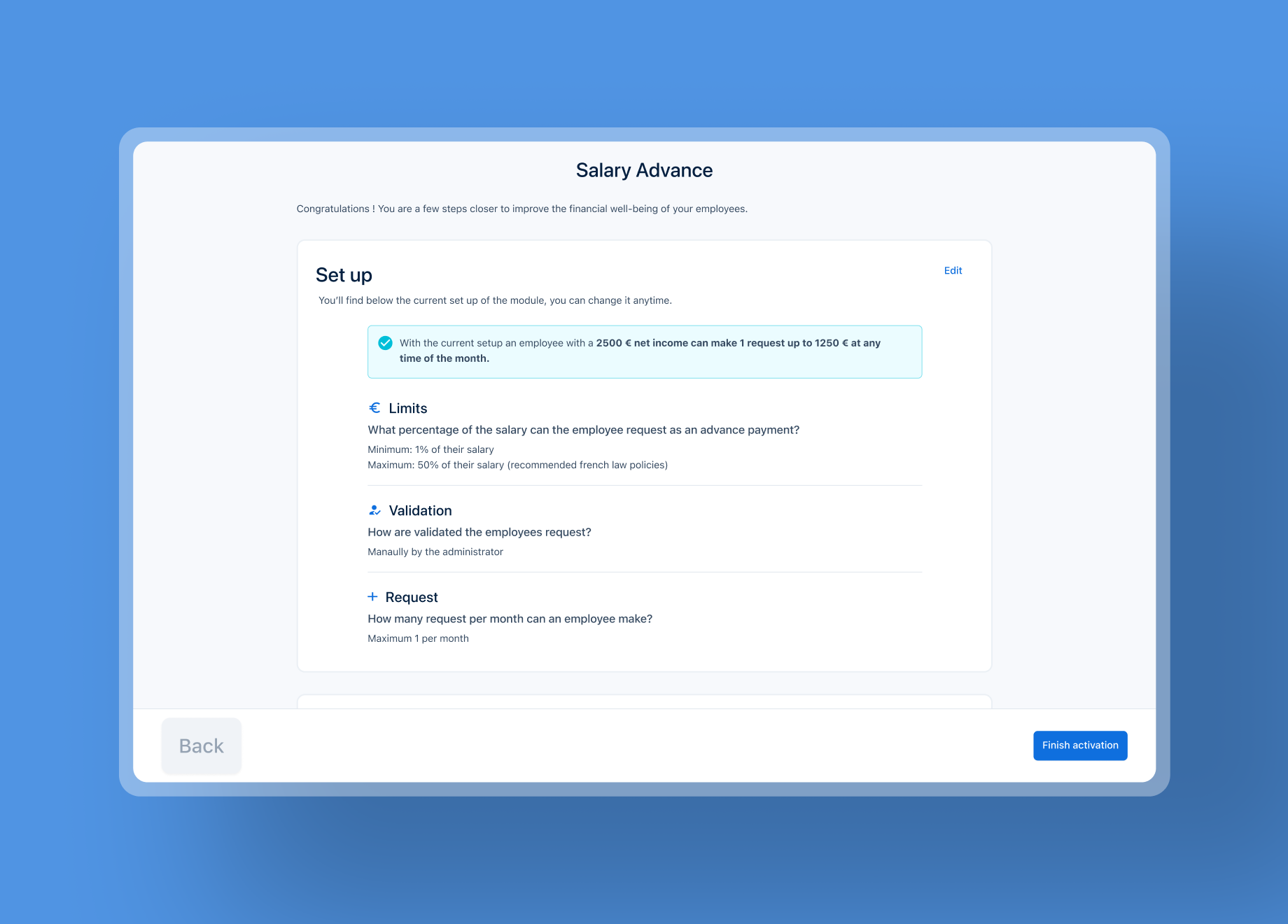
Admins can give employees access to the salary advance feature in just a few clicks. A dedicated landing page highlights its benefits and lets admins enable it directly from their dashboard.
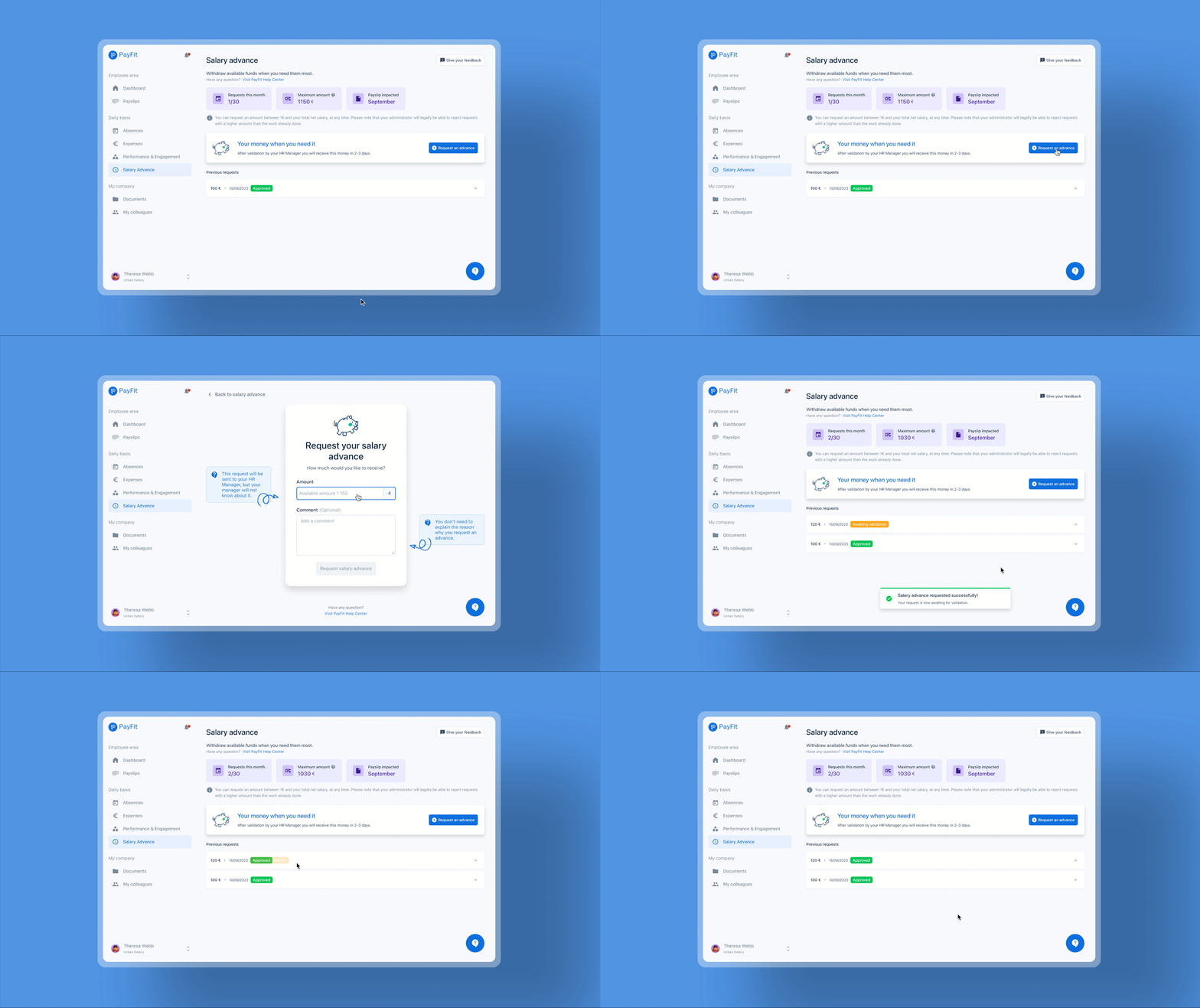
Employee Persona

2. REQUEST
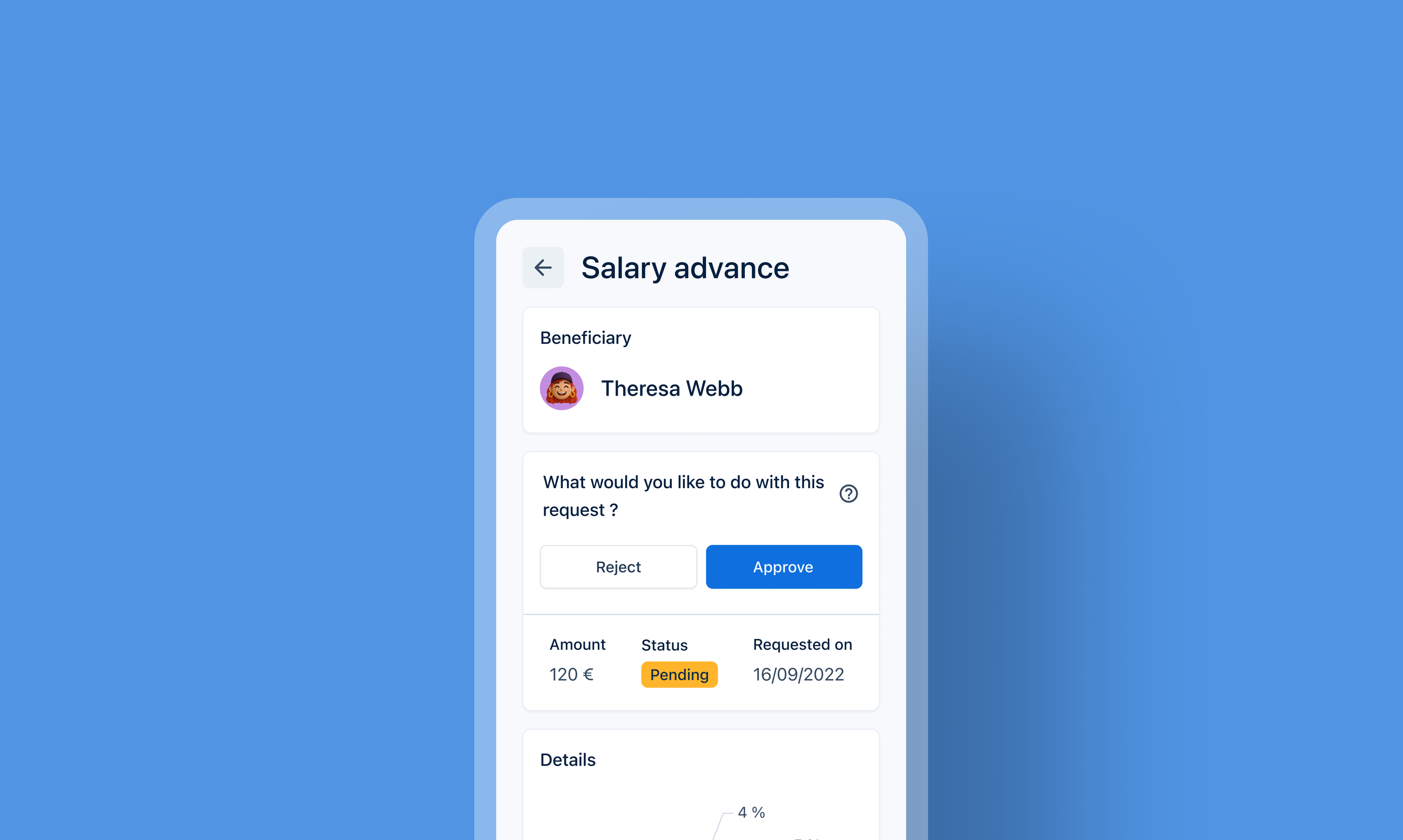
Once the feature is activated by the admin, employees can access it directly from their personal space. From there, they can see how much they can request, understand how their salary will be impacted, and track the status of their request whether it’s approved or declined.
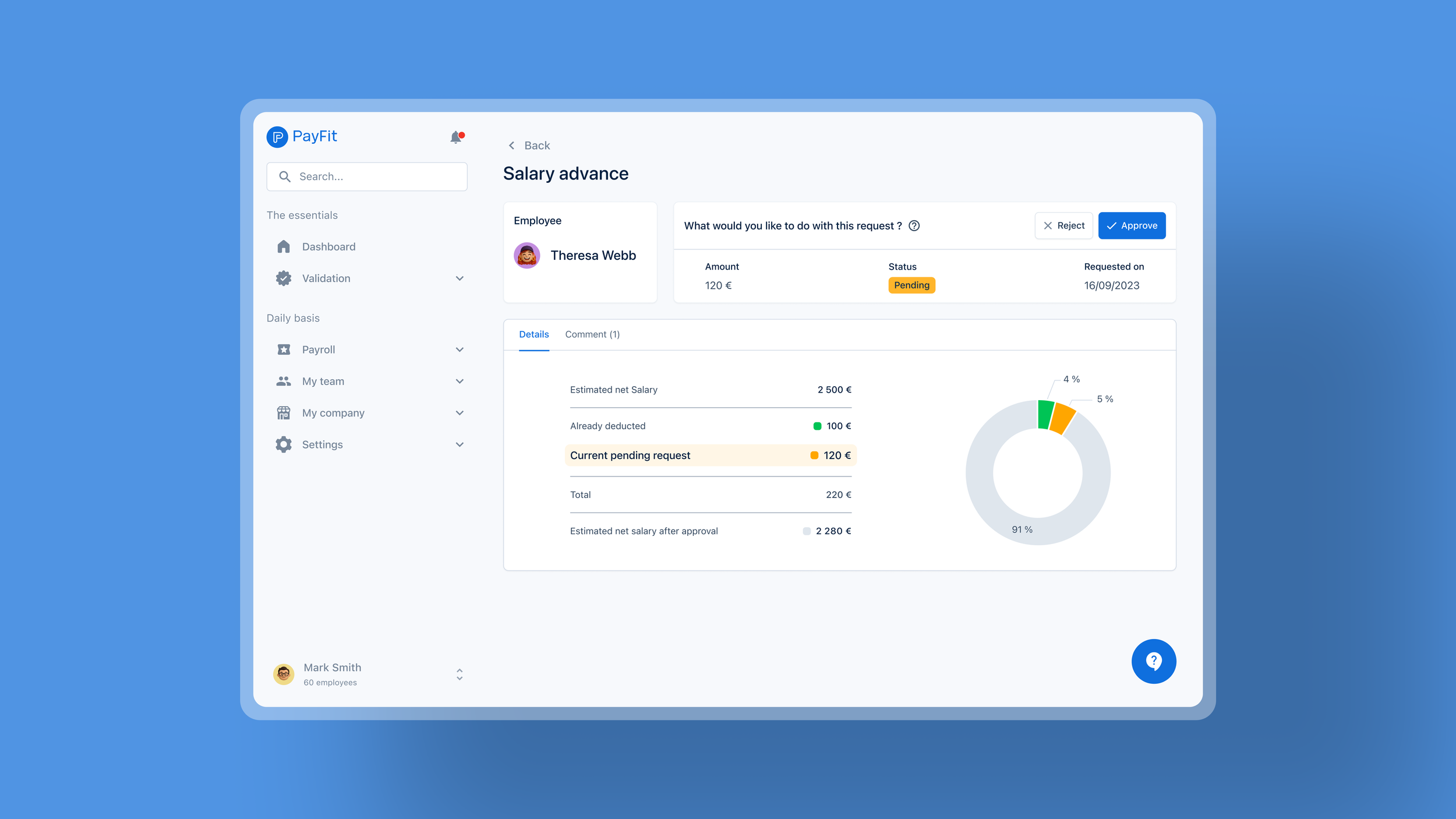
3. VALIDATE
Admin Persona
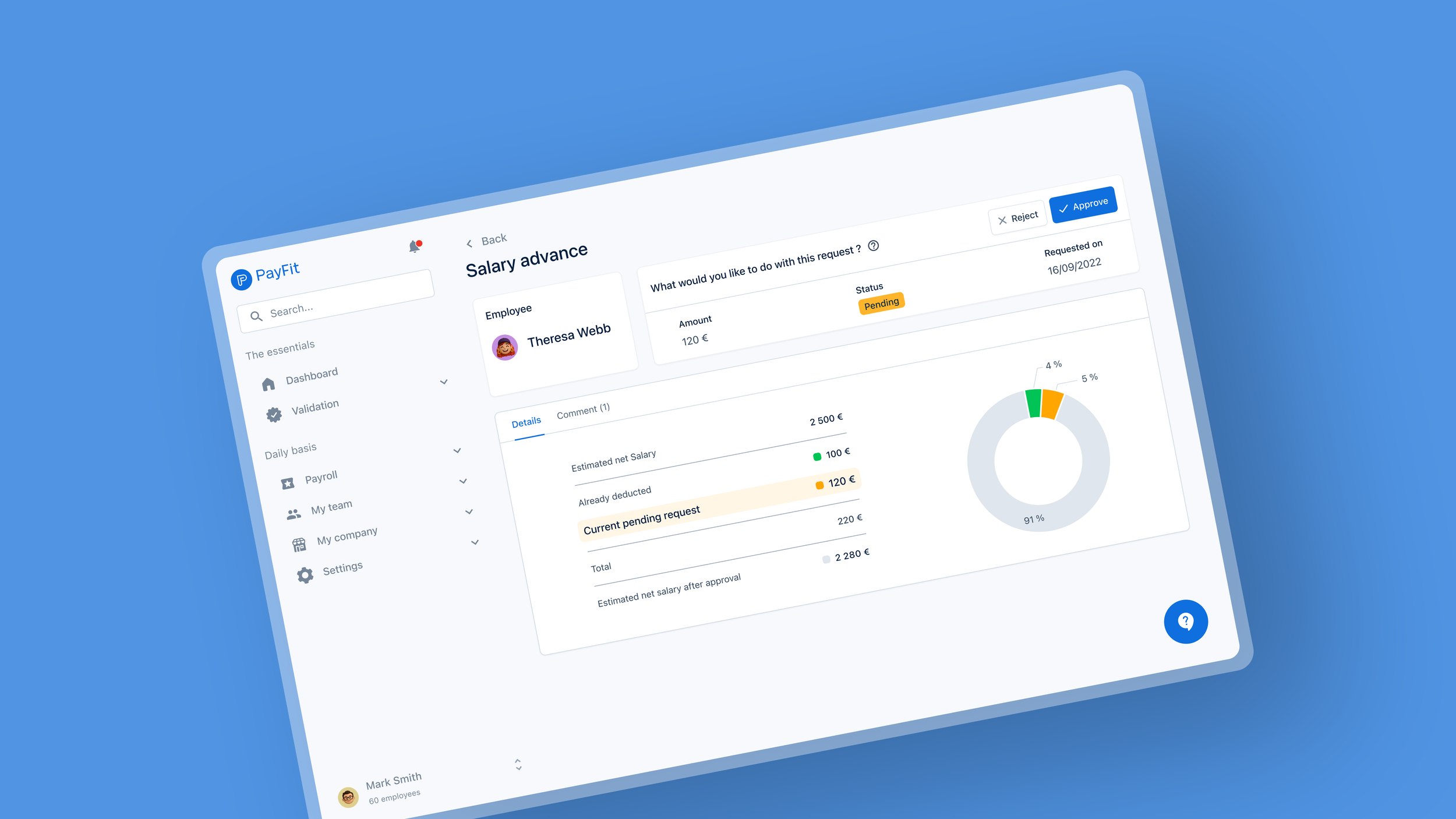
When a request is submitted, the admin receives a notification directly in their dashboard. At a glance, they can see the employee’s previous requests, check their remaining advance eligibility, and view the updated salary if approved, making it easy to make a quick, informed decision.
OUTCOMES & LEARNINGS
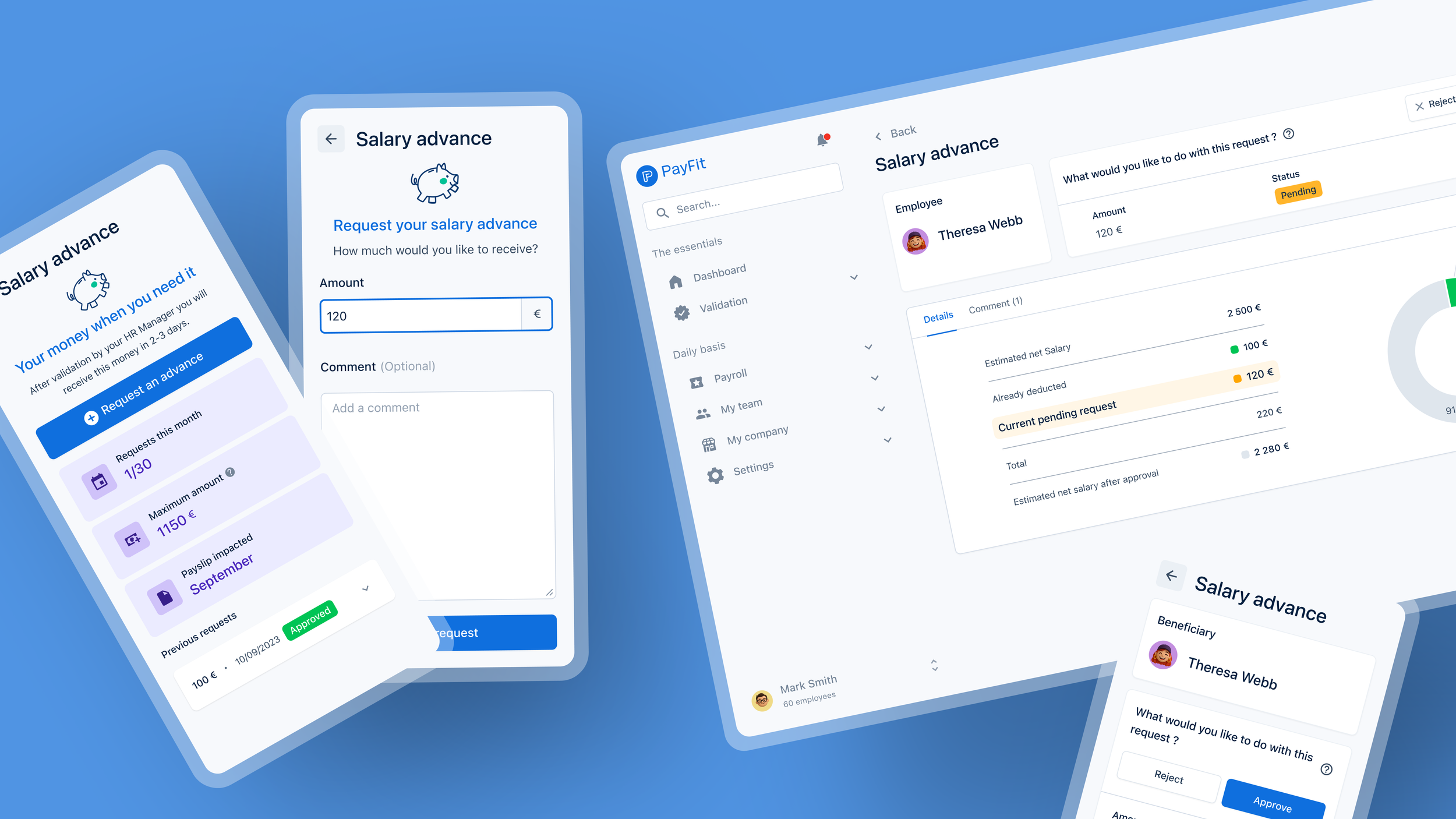
Empowering financial well-being through thoughtful design.
Companies adoption increased by 30%, with a 25% rise in active use among employees.
Admins saved up to 40% of time per request thanks to clearer, faster workflows.
Requests processed 50% faster, improving transparency and satisfaction.
Employees felt more supported, strengthening PayFit’s human and accessible brand image.
OUTCOMES
Empowerment grows when users understand their options and the impact on their pay.
Emotional trust is as important as functional clarity in financial experiences.
Cross-team alignment—from design to compliance—ensures smooth rollout.
Small UX improvements can drive measurable adoption and strengthen brand perception.
LEARNINGS
“With the dashboard, I can see each request clearly and approve with confidence. It feels good to support my team and the families behind our business.”
“It’s reassuring to know I can access a part of my salary when I need it, especially around the holidays. PayFit makes it simple, and I can really count on it.”